Affordable 3D Printing Done Right: Avoiding the Hidden Costs of Budget Machines
The most common hidden problem with affordable 3D printers isn’t poor build quality—it’s inconsistent extrusion caused by a worn extruder gear or a gap inside the hotend. Catch it early by watching the first layer: if it looks thin, patchy, or the extruder clicks, stop and investigate. Replace the extruder gear with a hardened steel dual-gear unit ($15–$20) and reseat the PTFE tube before your first 50 hours of printing. That one-two fix will keep most sub‑$300 printers running reliably for years.
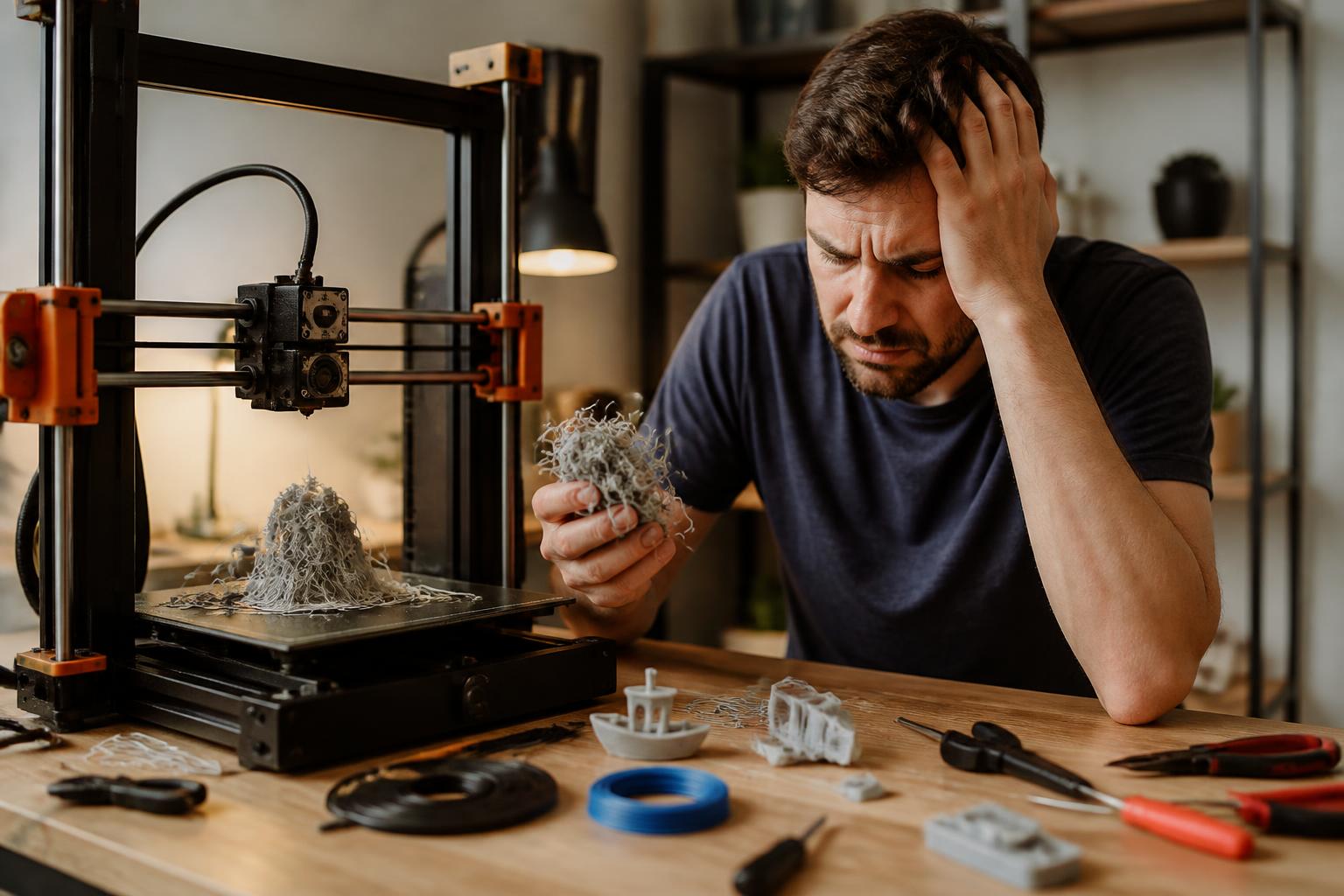
What Usually Goes Wrong on Budget Printers
Most printers under $300—Creality Ender 3 variants, Elegoo Neptune series, Anycubic Kobra, Sovol SV06—use the same basic hotend design: a PTFE (Polytetrafluoroethylene) tube running inside a heat sink, pressed against the nozzle. After 50–100 hours of printing, three predictable failures appear:
1. Extruder gear wear. The stock brass or plain steel drive gear develops a shiny spot or a groove. It loses grip on the filament, causing slipping and intermittent under-extrusion. The gear often looks fine from the side, but touch the teeth—if the edge feels smooth, it’s worn.
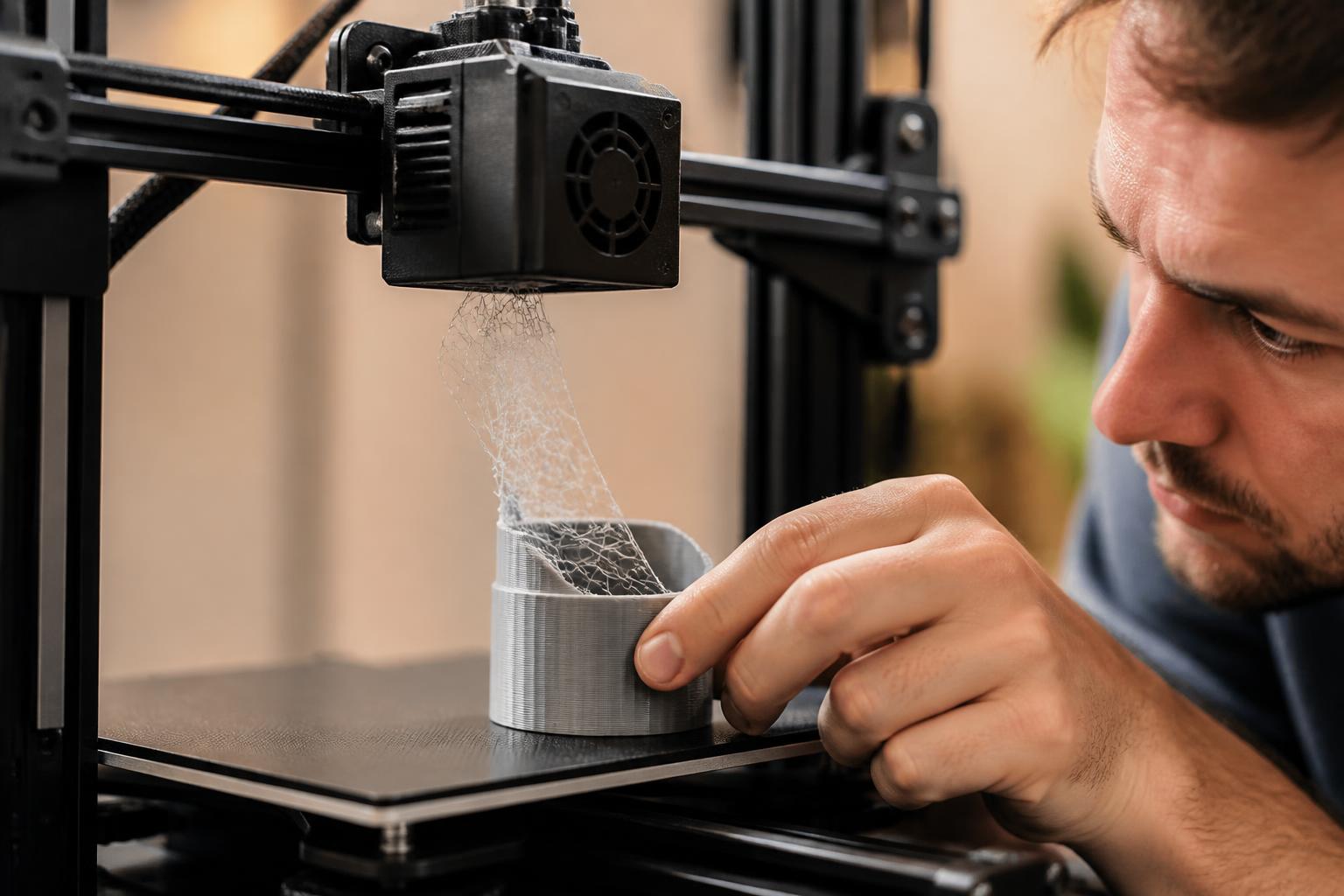
2. PTFE tube gap. Heat cycling loosens the Bowden coupling or the tube slowly retracts. A gap opens between the tube end and the nozzle inside the hotend. Molten filament oozes into that gap, gradually solidifies, and creates a partial clog. This is the single most common failure on PTFE-lined hotends.
3. Bed level drift. The stock springs on budget printers are weak. After a few prints or a room temperature change, the bed goes out of level. Combined with an extrusion problem, you get poor adhesion, warping, and failed first layers.
This failure pattern is so consistent that many experienced hobbyists treat the extruder gear and hotend as consumable parts that must be replaced within the first three months. The good news: each fix costs under $10.
Applicability boundary: This pattern applies to printers with PTFE-lined hotends. Factory all-metal hotends (e.g., Bambu Lab A1 Mini, Prusa Mini, or any hotend with a heat-break that doesn’t use PTFE) eliminate the gap-clog issue entirely, though they can suffer from heat creep if cooling is inadequate. Direct-drive extruders with hardened steel gears (e.g., Ender 3 V3 SE’s Sprite extruder) wear slower but still need periodic inspection.
How to Catch It Early – An Operator Flow
Run these checks every time you start a new print day, or at least every 20 hours of printing. They take less than a minute.
Pre-Print Inspection (30 seconds)
- First-layer watch: Manually observe the first layer. A good first layer looks like a continuous, slightly squished ribbon with no gaps between lines. If you see thin patches, gaps, or faint clicking from the extruder, stop the print immediately. That’s a partial clog, worn gear, or loose tube. Do not try to print over it—it will only get worse.
- Bed level check: Run a bed level test print (a single layer that covers the whole bed). Uneven first layers can mask extrusion issues. Use a feeler gauge to set the nozzle-to-bed gap to 0.1 mm (or the printer’s recommended value). If the distance is off by more than 0.05 mm across the bed, re-level.
After 50 Hours of Printing
- Extruder gear inspection: Unload the filament and rotate the gear by hand (keep power off). Look at the teeth under direct light. If the tips are shiny, rounded, or have a visible groove, replace the gear. Brass gears wear fastest—often at 80 hours. Hardened steel gears last 500+ hours but cost $5–$10.
- PTFE tube movement test: Heat the hotend to 200 °C. Gently push at the coupling where the PTFE tube enters the hotend. If the tube slides inward or outward even 1 mm, the coupling is failing. Also check for charring or discoloration at the tube tip. Replace the coupling ($3–$5) and trim 5 mm off the tube end.
- Retraction check in slicer: Log into your slicer and verify retraction settings. For Bowden printers, retraction should be 5–7 mm at 40–60 mm/s. For direct-drive, 1–2 mm at 30–50 mm/s. Too much retraction pulls molten filament into the heat sink, causing a clog. Too little causes stringing and ooze, which can contaminate the nozzle.
When You See Persistent Under-Extrusion
If you’ve already done the gear and tube checks but still see under-extrusion:
- Cold pull the nozzle: Heat the hotend to 200 °C, insert a piece of nylon cleaning filament (or regular PLA), push through until it oozes, then let the hotend cool to 100 °C. Yank the filament out. It should bring debris with it. Repeat until the pull comes out clean.
- Check extruder tension: On single-gear extruders with a plastic arm, the arm often cracks at the pivot point. Look for hairline cracks. Replace the entire extruder with a metal dual-gear unit (e.g., Creality’s all-metal extruder upgrade, $15–$20). This upgrade alone doubles the reliability of printers like the Ender 3.
- Nozzle inspection: Remove the nozzle and look through it: light should pass clearly. If it’s clogged or the orifice is worn (the hole looks oval), replace it. Nozzles are cheap—buy a pack of hardened steel or brass nozzles (0.4 mm, 10-pack for $8–$12).
Success/escalation signal: After these steps, print a calibration cube. If the first layer goes down solidly and the cube’s sides are free of gaps and ringing, the printer is fine. If the problem persists, the hotend itself is likely damaged (e.g., heat creep melted the PTFE throat, or the heat break is deformed). Upgrade to an all-metal hotend (Micro Swiss or Slice Engineering) for $40–$50, or replace the entire print head assembly. That one swap transforms a frustrating budget printer into a reliable workhorse for PLA and PETG.
Practical Implication – What to Budget for Upfront
If you’re buying a sub‑$300 printer, plan on spending an additional $20–$50 in the first six months for upgrades and replacements. Here’s a realistic breakdown:
| Item | Cost | When to Replace |
|---|---|---|
| Dual‑gear metal extruder | $15–$25 | First month (preventive) |
| Hardened steel drive gear | $5–$10 | When gear groove appears |
| PTFE tube (Capricorn branded) | $8–$12 | Every 6 months or after 200 hours |
| Nozzle set (brass, 0.4 mm) | $8–$12 | Every 100 hours or when worn |
| All-metal hotend (if needed) | $40–$50 | After repeated clogs |
Budget printers that come with dual-gear metal extruders and all-metal hotends (like the Sovol SV06 Plus or Bambu Lab A1 Mini) skip most of these expenses. They cost $100–$200 more upfront but save that amount in parts and lost printing time within a year.
Verification Step – Confirm Fit Before You Buy
Before clicking “buy” on any affordable printer, do a five-minute search:
- Search for “extruder gear replacement [model name]”. If you can’t find a $5–$10 gear that’s in stock and well-reviewed, move on.
- Look for “all-metal hotend upgrade [model name]”. If the only option is a custom 3D‑printed adapter with mixed results, the printer has limited upgrade support.
- Check the community forum (r/ender3, r/elegoo, r/anycubic). Look for a pinned “common fixes” post. If the top complaints are unsolved after six months (e.g., a proprietary hotend with no replacement parts), skip that printer.
If a model has replacement parts available, a solid community, and documented upgrade paths, it’s a safe buy even at $200.
Realistic Mismatch – When Affordable Isn’t the Answer
Budget printers work well for PLA, PETG, and TPU (at slow speeds). They struggle with:
- Engineering materials (nylon, polycarbonate, ABS): require hotend temps above 260 °C and a heated enclosure. PTFE degrades above 240 °C and the runout causes fumes and clogs.
- Flexible filaments above 40 mm/s: Bowden setups can’t push TPU reliably; direct-drive is needed.
- High-speed printing: Sub‑$250 printers can hit 150 mm/s in marketing specs, but real usable speed is 50–70 mm/s for decent quality. The frame flexes and cooling falls short.
For these tasks, step up to a $400–$600 machine (Bambu Lab A1 Mini, Prusa Mini, Sovol SV06 Plus). For everyday PLA and PETG projects, the $250 machines are sufficient—especially after the upgrades described above.
Three Budget Printers That Avoid the Worst Pitfalls
| Model | Price (USD) | Extruder | Hotend Type | Common Early Issue | Fix Cost |
|---|---|---|---|---|---|
| Creality Ender 3 V3 SE | $200–$250 | Dual-gear metal (Sprite) | PTFE-lined | Bed level sensor drift (firmware update fixes) | Free (firmware) |
| Elegoo Neptune 4 | $250–$300 | Dual-gear metal | PTFE-lined | Loose belt tension (tighten after 10 hours) | Free (wrench) |
| Anycubic Kobra 2 Neo | $220–$270 | Single-gear metal (upgradeable) | PTFE-lined | PTFE tube seating (reseat before first print) | $3 (new coupling) |
All three have active communities on Reddit and Discord with documented how‑to guides. Avoid lesser-known brands with no replacement parts or English documentation—you’ll waste more time hunting for a $5 gear than actually printing.
Stop point: If you still get clogs after checking the gear, tube, and nozzle, replace the hotend with an all-metal unit. That single upgrade eliminates the root cause of 80% of budget printer failures. If you prefer not to mod, buy a printer with a factory all-metal hotend. That’s the most effective early detection you can get—and it saves you from ever having to diagnose a PTFE gap again.
Explore This Topic
- Back to Best Printer by Budget
- Back to sc0019
Related guides in this cluster:

Ryan has been operating FDM 3D printers since 2017. He runs a 12-machine print farm. His daily drivers include a Bambu Lab X1 Carbon, Prusa MK4s, and Creality Ender-3 V3s that have logged over 15000 print hours. He started 3D Printer Nerd to provide structured troubleshooting guides with diagnostic order, material-specific parameters, and clear stop points.