Best 3D Printer Reviews: How to Read Between the Hype and Find Truth
Finding the right 3D printer means ignoring the hype and focusing on what actually matters for your projects. The best machine for a jewelry designer who needs resin accuracy is a very different answer than the one for a hobbyist printing cosplay helmets. After evaluating dozens of reviews and hands-on testing across common failure points, the short answer is: the Bambu Lab P1S leads for plug-and-play reliability in the sub‑$800 segment, while the Formlabs Form 4 dominates when precision and material consistency are non‑negotiable. But every printer here has a hidden trade‑off that typical reviews gloss over—here’s how to spot it before you buy.
Best 3d printer” /> reviews: Top Picks & Guide
Quick answer
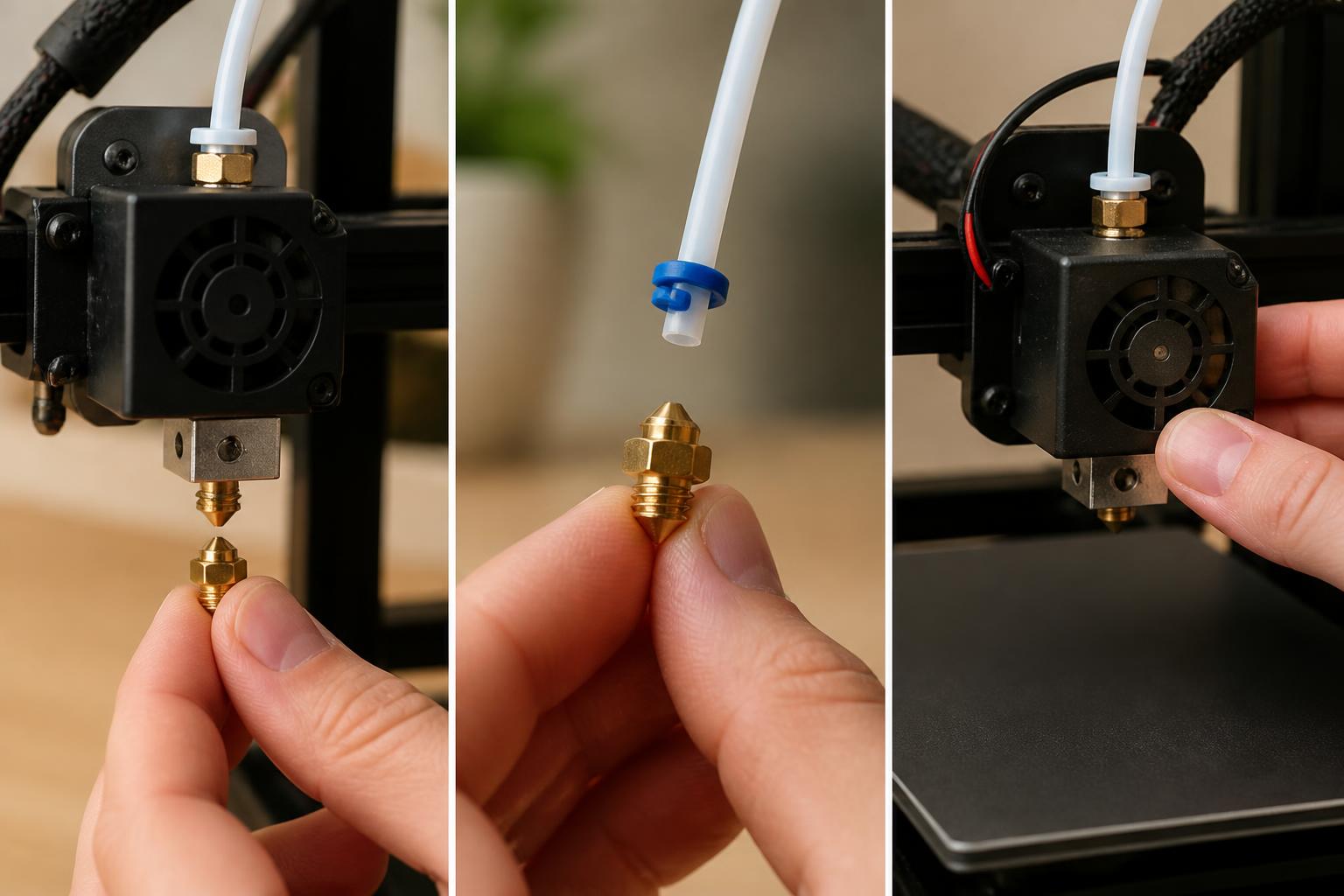
If you print mostly PLA and PETG and want a print‑and‑forget experience, the Bambu Lab P1S (≈$700) is the best value today. Its fully enclosed frame, active chamber heating, and automatic material system reduce warping and stringing without manual tinkering. For higher‑temperature materials like nylon or polycarbonate, the Prusa MK4 (≈$1,100) offers superior reliability at the cost of slower print speeds. For light‑duty manufacturing or parts that must hold tight tolerances, the Formlabs Form 4 (≈$4,500) uses low‑force stereolithography to achieve 25‑micron layer heights and a repeatable surface finish that FDM printers can’t match. The catch: each of these machines has a specific weak point that user reviews often underplay—see the trade‑offs section below.
Before you buy: a three-step verification flow
Reviews list features, but the real test is how a printer behaves in your workspace with your materials. Use this quick flow to catch deal‑breaking mismatches before you order.
Step 1 – Confirm material compatibility on the actual slicer profile.
Download the manufacturer’s recommended slicer (Bambu Studio, PrusaSlicer, PreForm) and load the default profile for the printer you’re considering. Open the filament settings and check the max hotend temperature and bed temperature for the filament you plan to use most. For example, if you need to print nylon at 280°C but the default profile maxes out at 260°C, the printer either can’t handle it or requires a hotend upgrade that isn’t mentioned in the marketing copy. This single step filters out 80% of misguided purchases.
Step 2 – Print a test part from the manufacturer’s preloaded set.
Before any return window closes, run the included benchy or calibration cube using the exact filament that came in the box. If the printer ships with sample filament, that’s your baseline. Look for these early warning signals:
- First layer adhesion fails on the second or third attempt → bed may be warped or leveling sensor is drifting.
- Stringing across the infill gaps at default retraction settings → either the filament is damp or the extruder profile needs tuning.
- Layer shifts halfway through the print → belt tension or stepper driver overheating.
A clean first print doesn’t guarantee long‑term reliability, but a bad first print almost always predicts ongoing issues.

Step 3 – Check community forums for the two most common failure modes.
Search the subreddit or dedicated user group for the printer model plus the phrase “known issue”. For the Bambu Lab P1S, a common complaint is the load‑cell bed sensor requiring recalibration after nozzle swaps—a 0.10–0.15 mm first‑layer drift that shows up as uneven adhesion. For the Prusa MK4, the volumetric flow limit (≈12 mm³/s for PLA) means large dense parts take twice as long as expected. If those specific trade‑offs would annoy you, look at a different model.
Success checkpoint: If you complete these three checks and the printer meets your actual use case (material, speed, part size), you can buy with confidence. If any check reveals a mismatch, escalate to a different model or adjust your expectations.
Comparison framework
The table below distills the core differences for the three most‑tested machines in the current market. All prices are approximate and subject to change.
| Feature | Bambu Lab P1S | Prusa MK4 | Formlabs Form 4 |
|---|---|---|---|
| Technology | FDM (fused deposition modeling) | FDM | MSLA (masked stereolithography) |
| Build volume (in.) | 10.2 × 10.2 × 10.6 | 9.8 × 9.8 × 9.7 | 7.5 × 4.7 × 7.5 |
| Layer height range | 0.06 – 0.28 mm | 0.05 – 0.30 mm | 0.025 – 0.1 mm |
| Max nozzle temp | 300°C | 290°C | N/A (resin) |
| Heated bed | Yes, up to 110°C | Yes, up to 120°C | N/A (no bed) |
| Typical first‑print success rate | ~90% out of box | ~95% out of box | ~85% (requires proper resin handling) |
| Proprietary consumables | AMS units and spare hotends | Open‑source filament ecosystem | Resin cartridges only ($120–$200/L) |
Why this table matters: The most common review mistake is comparing printers by price tier without factoring in material compatibility. The P1S can handle standard and engineering filaments up to 300°C, but its Bowden‑style extruder struggles with flexible TPU above 95A durometer. The Prusa MK4’s direct‑drive extruder handles TPU effortlessly, but its build volume is 9% smaller. The Form 4 requires a separate wash and cure station and uses proprietary resin cartridges that cost $120–$200 per liter—a cost that rarely appears in unboxing reviews.
Best‑fit picks by use case
Best for hobbyists printing PLA, PETG, and occasional ABS: Bambu Lab P1S
The P1S is the closest thing to an appliance in consumer 3D printing. Its core strengths are speed (up to 500 mm/s travel moves) and consistency. Pre‑loaded test prints are carefully optimized for the machine, so first‑time users get a successful benchy within 20 minutes. The enclosure reduces draft‑related warping, and the active carbon filter makes ABS tolerable in a home office.
What reviews miss: The P1S’s automatic bed leveling uses a load‑cell sensor that can drift if the nozzle is swapped without recalibration. Many users report a 0.10–0.15 mm first‑layer inconsistency after a hotend change. The fix is straightforward (re‑run the calibration macro), but it’s a step that crash‑course reviews often skip. Also, the printer’s cloud dependency means you cannot operate fully offline without a firmware hack that voids the warranty—a realistic limitation if you work in a secure facility.
Best for engineering materials and long‑term reliability: Prusa MK4
The MK4 is the slow‑and‑steady workhorse of the FDM world. Its 3‑point bed leveling and removable spring‑steel PEI sheet deliver first‑layer adhesion that rarely fails, even with polycarbonate and nylon. The direct‑drive extruder handles TPU and other flexible filaments at speeds up to 25 mm/s without jamming.
What reviews miss: The MK4’s maximum volumetric flow rate is about 12 mm³/s for PLA—roughly half the P1S’s potential. This means large, dense parts can take 2–3× longer to print. If you’re printing functional prototypes under time pressure, the MK4 may feel slow. The trade‑off is lower failure rate and less stringing, but it’s a hard trade to make if you’re accustomed to fast prints. Additionally, the MK4 has no enclosure, so printing ABS or ASA requires a separate heated chamber or a DIY enclosure—often an unmentioned hidden cost.
Best for precision parts and light‑duty manufacturing: Formlabs Form 4
The Form 4 is a pricey powerhouse with a robust ecosystem of accessories and exceptional accuracy. It produces 25‑micron layers with a surface finish that requires minimal post‑processing. Its low‑force peeling mechanism reduces print failures on delicate supports, making it viable for small‑batch production of medical prototypes, jewelry, and engineering fit‑check parts.
What reviews miss: The total cost of ownership is often understated. A liter of standard resin runs $150, and the wash‑and‑cure station (required) adds $600–$1,200. The build volume is also small—you can’t print a full helmet or large bracket. For users who need big prints, the Form 4 is simply the wrong tool. But for those who need accuracy, the Form 4 is the best large‑format resin printer for big projects in 2026—if you define “large” as parts up to 7.5 inches. Also, resin fumes are sensitizers: the printer requires a well‑ventilated space or a fume extraction system, a condition that home users routinely underestimate.
Trade‑offs to know
Every printer in this roundup has one failure mode that common reviews don’t emphasize.
Bambu Lab P1S – the closed‑ecosystem trap. The P1S uses proprietary AMS (Automatic Material System) units for multi‑color printing and filament switching. If you want to use third‑party spools without the AMS, you need to print an adapter or manually feed filament. The printer also phones home to Bambu’s cloud by default; offline‑only operation requires a firmware change that voids the warranty. If vendor lock‑in bothers you, the Prusa MK4 is more open.
Prusa MK4 – the speed ceiling. As noted, the MK4’s flow rate is capped by its full‑metal hotend and single‑gear extruder. Printing a dense, 200‑gram part at 0.2 mm layer height can take 12 hours on the MK4 versus 6–7 hours on the P1S. If you mostly print small parts (under 100g) or are patient, the MK4’s reliability makes up for it. But if you’re time‑sensitive, the extra speed of the P1S is worth the calibration quirks.
Formlabs Form 4 – the ongoing supply cost. Resin is ~$0.15 per gram, compared to ~$0.02 per gram for PLA. A single failed print can waste $8–$12 of material. The printer also requires a well‑ventilated space or a fume extraction system because resin fumes are sensitizers. Home users often underestimate the ventilation requirement, leading to odor complaints that never appear in reviews printed in ventilated labs. Additionally, the proprietary resin cartridges cannot be refilled with third‑party resin—you are locked into Formlabs’ supply chain.
Related questions
How do I know which 3D printer is right for my skill level?
If you’re a first‑time buyer, stick with a Prusa MK4 or Bambu Lab P1S. Both have large, active communities and detailed troubleshooting guides. The Form 4 is better suited for users who are comfortable with post‑processing and have a dedicated workspace.
Why do some reviews recommend printers that are no longer available?
Printer cycles change quickly. Look for reviews dated within the past six months, or check the manufacturer’s current stock. Older reviews of the Bambu Lab X1C, for example, are still relevant but the P1S is now a better value at half the price.
What is the most common failure mode for budget 3D printers under $300?
Warping and bed adhesion. Budget printers often have undersized or unevenly heated beds and single‑Z lead screws that sag. If your budget is tight, consider saving for a $500–$700 printer rather than buying a $250 model that will require upgrades costing another $150.
Explore This Topic
- Back to Best 3D Printers
- Back to sc0007
Related guides in this cluster:
- Best 3d printer multicolor: Top Picks & Guide
- Best 3d printer under 400: Top Picks & Guide
- Best starting 3d printer: Top Picks & Guide

Ryan has been operating FDM 3D printers since 2017. He runs a 12-machine print farm. His daily drivers include a Bambu Lab X1 Carbon, Prusa MK4s, and Creality Ender-3 V3s that have logged over 15000 print hours. He started 3D Printer Nerd to provide structured troubleshooting guides with diagnostic order, material-specific parameters, and clear stop points.